---
updatedAt: 2025-11-11T19:59:04.000Z
agentTools:
  projectIndex: https://beamable2.readme.io/llms.txt
---

# Players

Portal: The web-based project administration [PORT-Portal-10]

<ul class="breadcrumb">
  <li><a href="/docs/">Docs</a></li>
  <li><a href="/docs/portal">Portal</a></li>
  <li>Players</li>
</ul>

<div class="links">
  <a class="link normal" href="/docs/portal" style={{textDecoration: 'none'}}>Portal</a>
  <a class="link normal" href="/docs/portal-announcements" style={{textDecoration: 'none'}}>Announcements</a>
  <a class="link normal" href="/docs/portal-in-app-purchases" style={{textDecoration: 'none'}}>In-App Purchases</a>
  <a class="link normal" href="/docs/portal-cloud-data" style={{textDecoration: 'none'}}>Cloud Data</a>
  <a class="link normal" href="/docs/portal-inventory" style={{textDecoration: 'none'}}>Inventory</a>
  <a class="link normal" href="/docs/portal-groups" style={{textDecoration: 'none'}}>Groups</a>
  <a class="link normal" href="/docs/portal-leaderboards" style={{textDecoration: 'none'}}>Leaderboards</a>
  <a class="link active" href="/docs/portal-players" style={{textDecoration: 'none'}}>Players</a>
  <a class="link normal" href="/docs/portal-stats" style={{textDecoration: 'none'}}>Stats</a>
  <a class="link normal" href="/docs/portal-tournaments" style={{textDecoration: 'none'}}>Tournaments</a>
</div>

## Overview

Here is everything needed to use the [Admin](https://beamable2.readme.io/docs/admin-feature-overview) <Glossary>Feature</Glossary>'s **Players** in the Beamable [Portal](https://beamable2.readme.io/docs/portal) <Glossary>Tool Window</Glossary>.

## Steps

Follow these steps to get started:

<Table align={["left","left"]}>
  <thead>
    <tr>
      <th>
        Step
      </th>

      <th>
        Detail
      </th>
    </tr>
  </thead>

  <tbody>
    <tr>
      <td>
        1. Open the Portal
      </td>

      <td>
        • See [Portal](https://beamable2.readme.io/docs/portal) for more info
      </td>
    </tr>

    <tr>
      <td>
        2. Expand the "Engage" section on the sidebar
      </td>

      <td>
        • Click "Players"
      </td>
    </tr>

    <tr>
      <td>
        3. Configure the settings
      </td>

      <td>
        • Enjoy!
      </td>
    </tr>
  </tbody>
</Table>

## Game Maker User Experience

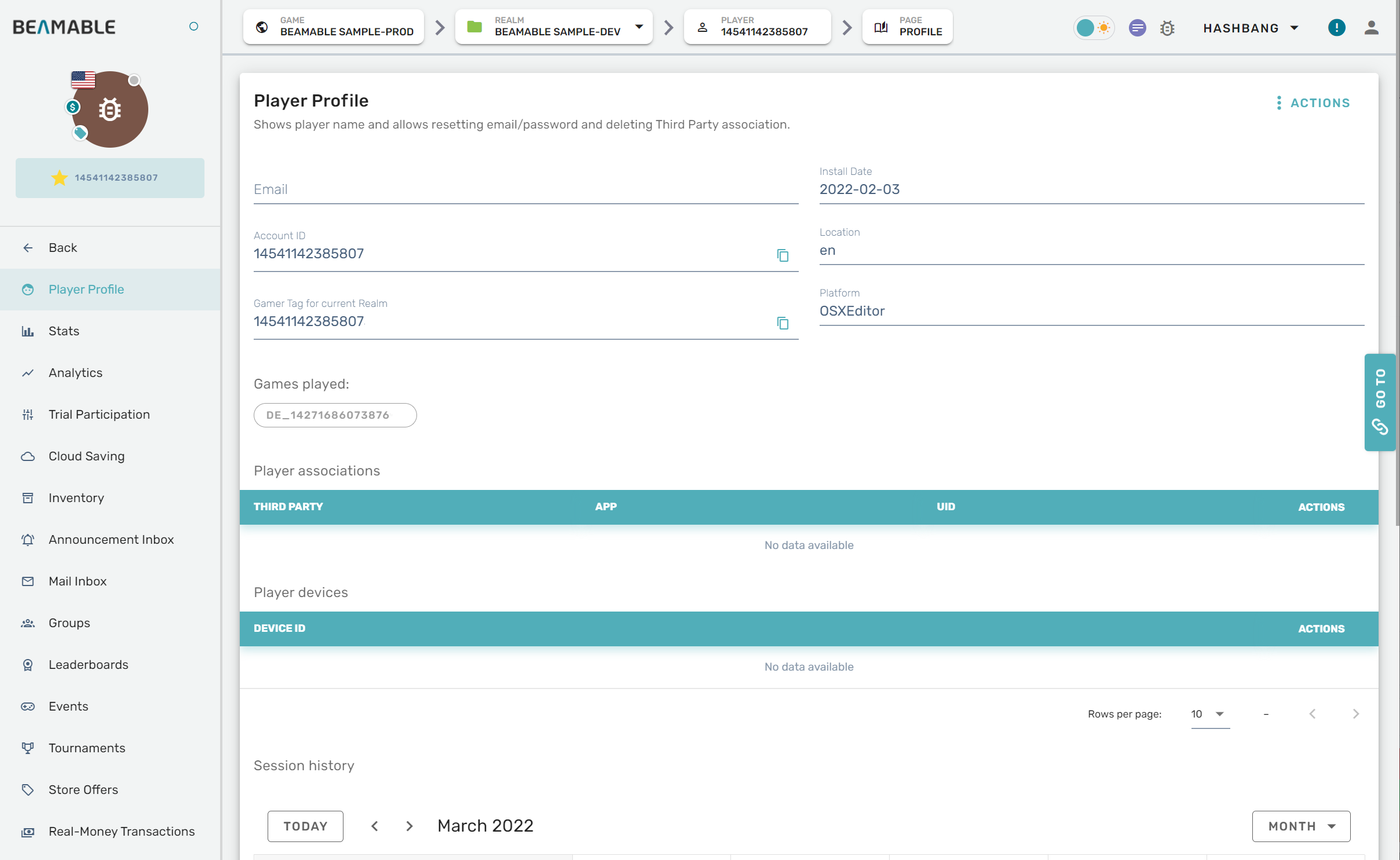
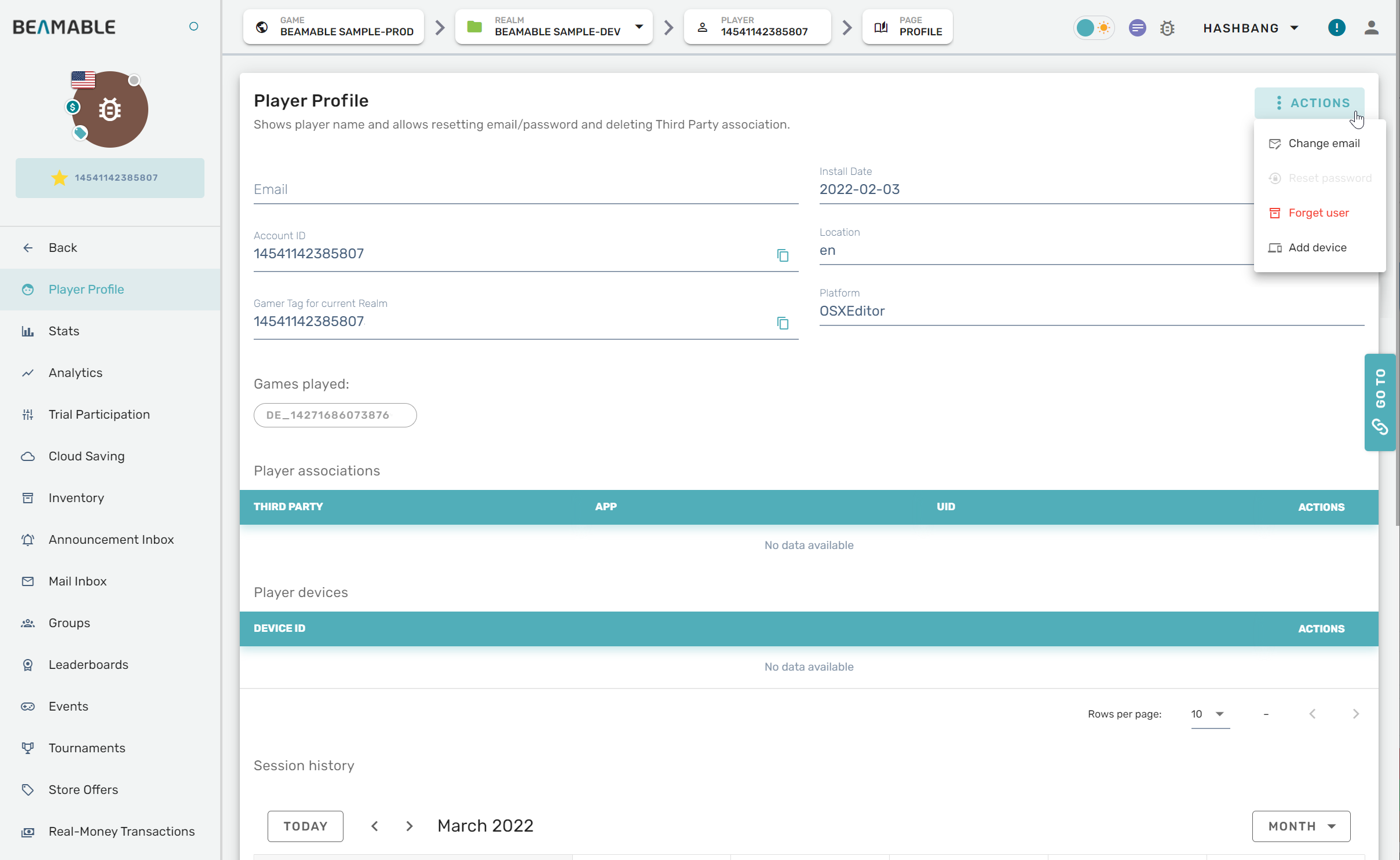
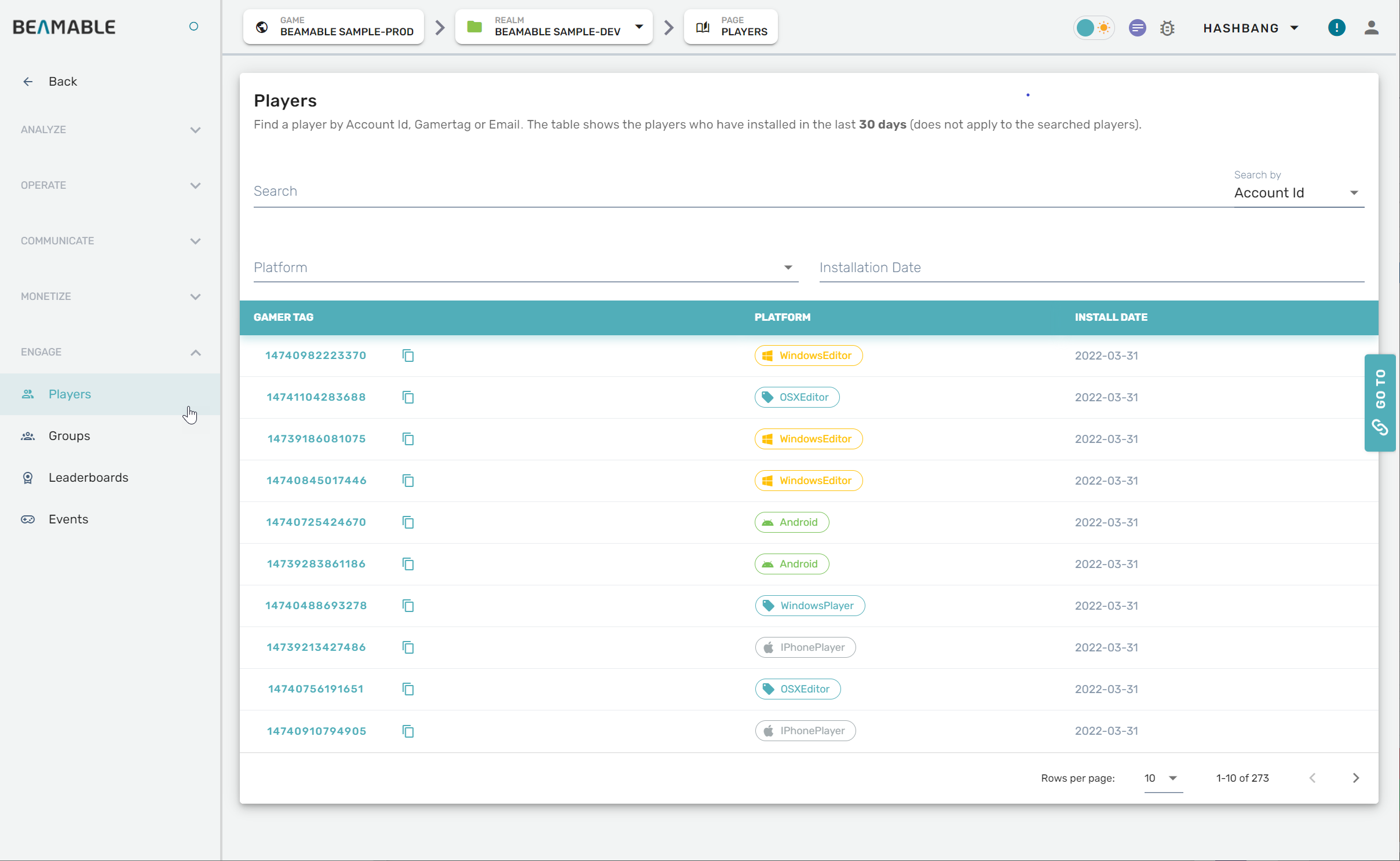
During development, the game maker's user experience is as follows:
![2417](https://files.readme.io/63c443c-Portal-Players-1_List.png "Portal-Players-1_List.png")

![2417](https://files.readme.io/86008d7-Portal-Players-2_profile.png "Portal-Players-2_profile.png")

![2417](https://files.readme.io/b7c3b2a-Portal-Players-3_profile-actions.png "Portal-Players-3_profile-actions.png")

<HTMLBlock>{`
<style>
  .links {
    padding: 0 1em 1em 0;
    display: flex;
    flex-flow: row wrap;
  }

  .link {
    margin-right: 2em;
    padding: 0.3em 1.5em;
    box-sizing: border-box;
  }

  .active {
    border: 1px solid #4274f6;
    background-color: #4274f6;
    color: white;
  }

  .normal {
    background-color: white;
    border: 1px solid gray;
    cursor:pointer;
    text-decoration: none;
  }

  .normal:active {
    background-color: #c4d4ff;
  }

  .normal:hover {
    background-color: #c4d4ff;
  }

  .active:active {
    color: white;
  }

  .active:hover {
    color: white;
  }
  
  ul.breadcrumb {
    padding: 10px 16px;
    list-style: none;
  }
  ul.breadcrumb li {
    display: inline;
    font-size: 18px;
  }
  ul.breadcrumb li+li:before {
    padding: 8px;
    color: black;
    content: "/\\00a0";
  }
  ul.breadcrumb li a {
    color: #0275d8;
    text-decoration: none;
  }
  ul.breadcrumb li a:hover {
    color: #01447e;
    text-decoration: underline;
  }
  
        @media only screen and (max-width:700px){
 		    ul.breadcrumb {
    padding-top:0;
          padding-left:0;
  }
      
       .link {
    margin-right: 1em;
         margin-bottom:1em;
  }
  }
</style>
`}</HTMLBlock>