
Configuration Manager
The game configuration administration [DVTL-UTW-03]
The purpose of this Tool Window is to allow front-end administration of the game configuration by the game maker.
The User Interface
Here is the user interface of the Beamable "Configuration Manager". It opens within Unity's Project Settings Window.
Use the search bar atop the window to locate Beamable configuration groups as well as individual configuration property names.
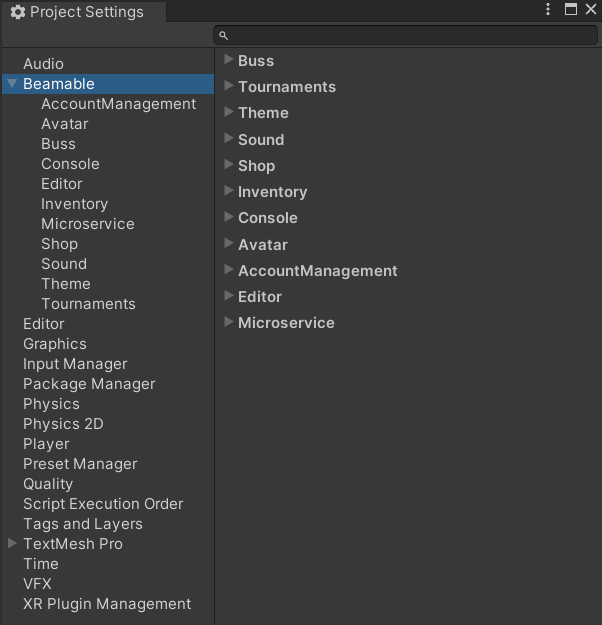
The Beamable "Configuration Manager"
Steps
Follow these steps to get started:
Step | Detail |
|---|---|
| • Unity → Window → Beamable → Open Configuration Manager |
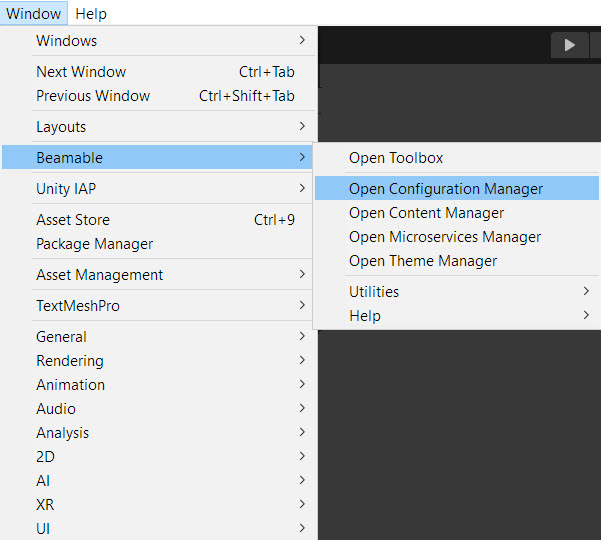
The “Beamable” Menu
It is also accessible from the Beamable Toolbox Window. Here is the "Configuration Manager" Button.
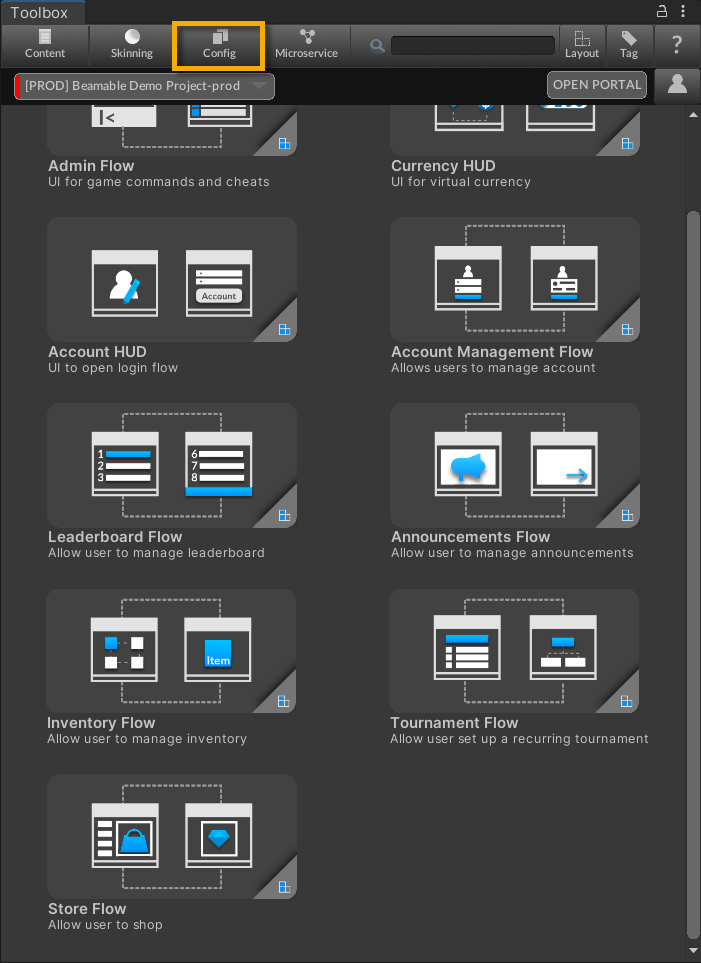
The "Configuration Manager" Button in the Beamable Toolbox Window
FAQHere are highlights from the Beamable FAQ: See FAQ for more info.
• Content
Updated 2 months ago