
Microservices Manager
The microservices administration [DVTL-UTW-05]
The purpose of this Tool Window is to allow front-end administration of the game Microservices by the game maker.
Related Feature• More details are covered in related feature page(s). See Microservices for more info.
The User Interface
Here is the user interface of the Beamable "Microservices Manager" tool window.
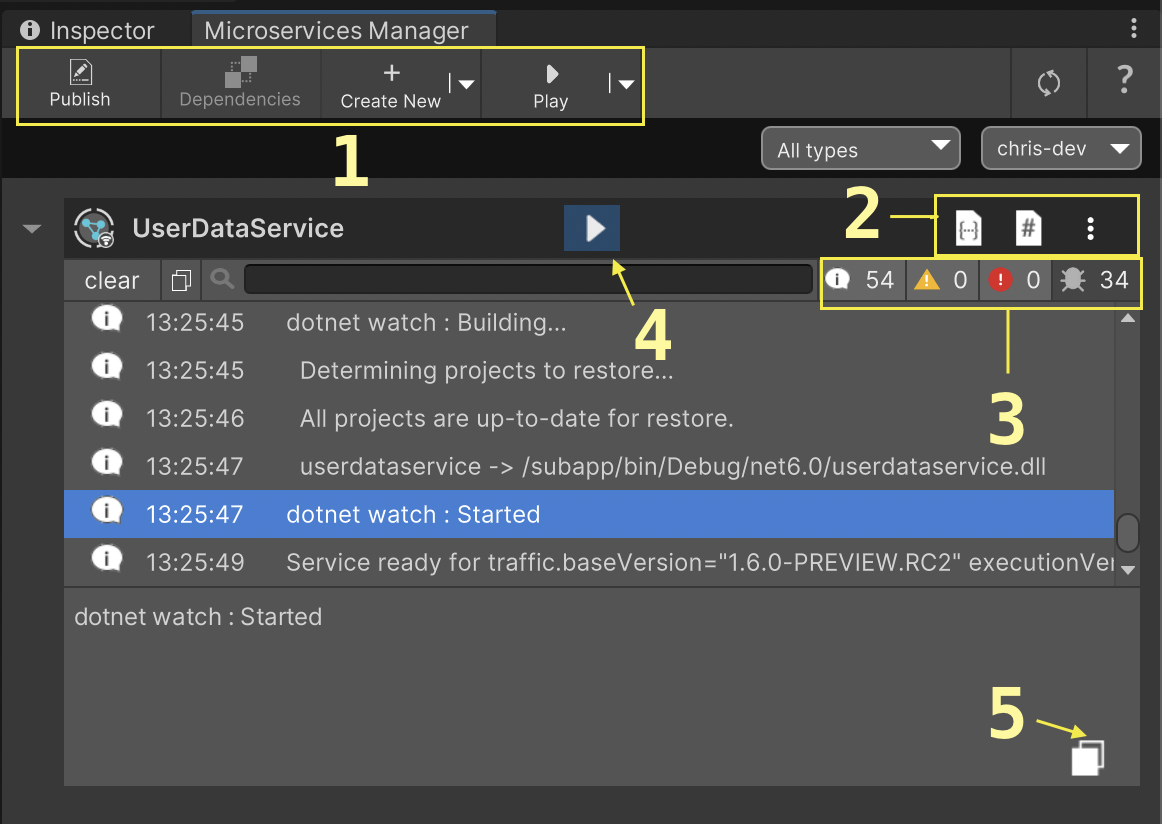
The Beamable "Microservices Manager" Window
Highlights
Name | Detail |
|---|---|
| • Publish services to the realm, manage service dependencies, create new services or storages, and play multiple services at once. |
| • Open local OpenAPI page, Open C# code, and access the drop-down menu. |
| • Change service log level. |
| • Play or stop the service. |
| • Copy the selected log element to the clipboard. |
Steps
Follow these steps to get started:
Step | Detail |
|---|---|
| • Unity → Window → Beamable → Open Microservices Manager |
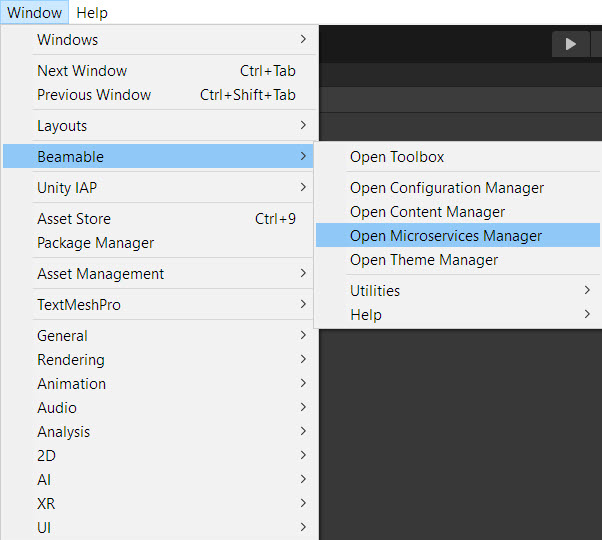
The “Beamable” Menu
It is also accessible from the Beamable Toolbox Window. Here is the "Microservices Manager" Button.
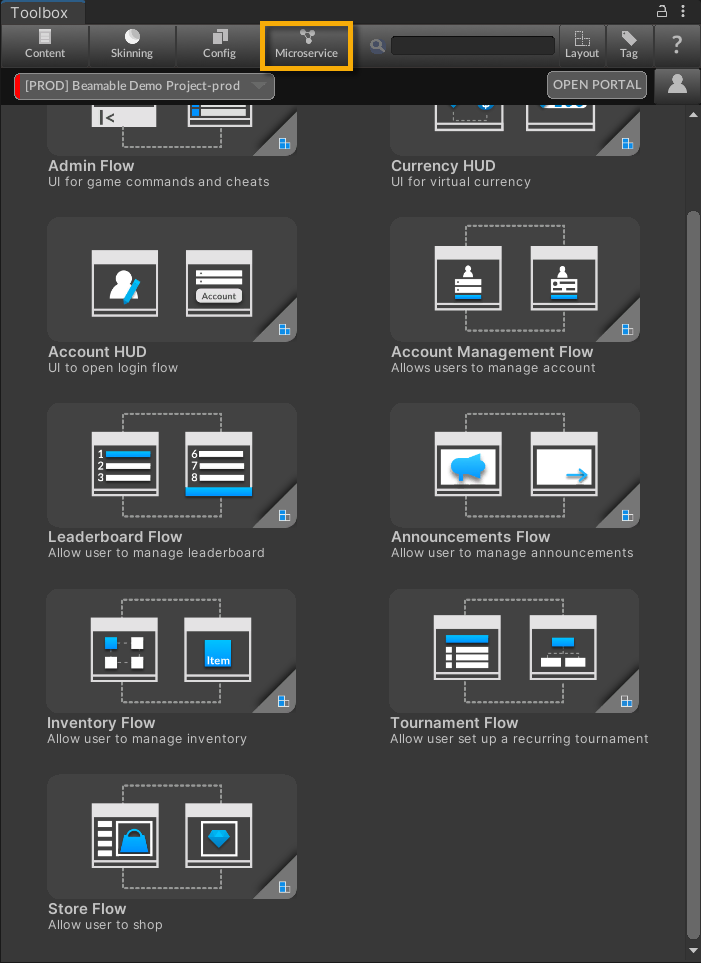
The "Microservices Manager" Button in the Beamable Toolbox Window
FAQHere are highlights from the Beamable FAQ: See FAQ for more info.
Updated 5 months ago